services: reverse-proxy: image:traefik# The official Traefik docker image command:--api--docker# Enables the web UI and tells Traefik to listen to docker ports: -"80:80"# The HTTP port -"8080:8080"# The Web UI (enabled by --api) volumes: -/var/run/docker.sock:/var/run/docker.sock# So that Traefik can listen to the Docker events whoami: image:containous/whoami# A container that exposes an API to show its IP address labels: -"traefik.frontend.rule=Host:whoami.docker.localhost"
Hostname: 460d64ac7842 IP: 127.0.0.1 IP: 172.22.0.3 GET / HTTP/1.1 Host: whoami.docker.localhost User-Agent: Mozilla/5.0 (Macintosh; Intel Mac OS X 10_14_2) AppleWebKit/537.36 (KHTML, like Gecko) Chrome/72.0.3626.121 Safari/537.36 Accept: text/html,application/xhtml+xml,application/xml;q=0.9,image/webp,image/apng,*/*;q=0.8 Accept-Encoding: gzip, deflate, br Accept-Language: zh,zh-CN;q=0.9,en;q=0.8,en-US;q=0.7 Cache-Control: max-age=0 Upgrade-Insecure-Requests: 1 X-Forwarded-For: 172.22.0.1 X-Forwarded-Host: whoami.docker.localhost X-Forwarded-Port: 80 X-Forwarded-Proto: http X-Forwarded-Server: 2d620da469b5 X-Real-Ip: 172.22.0.1
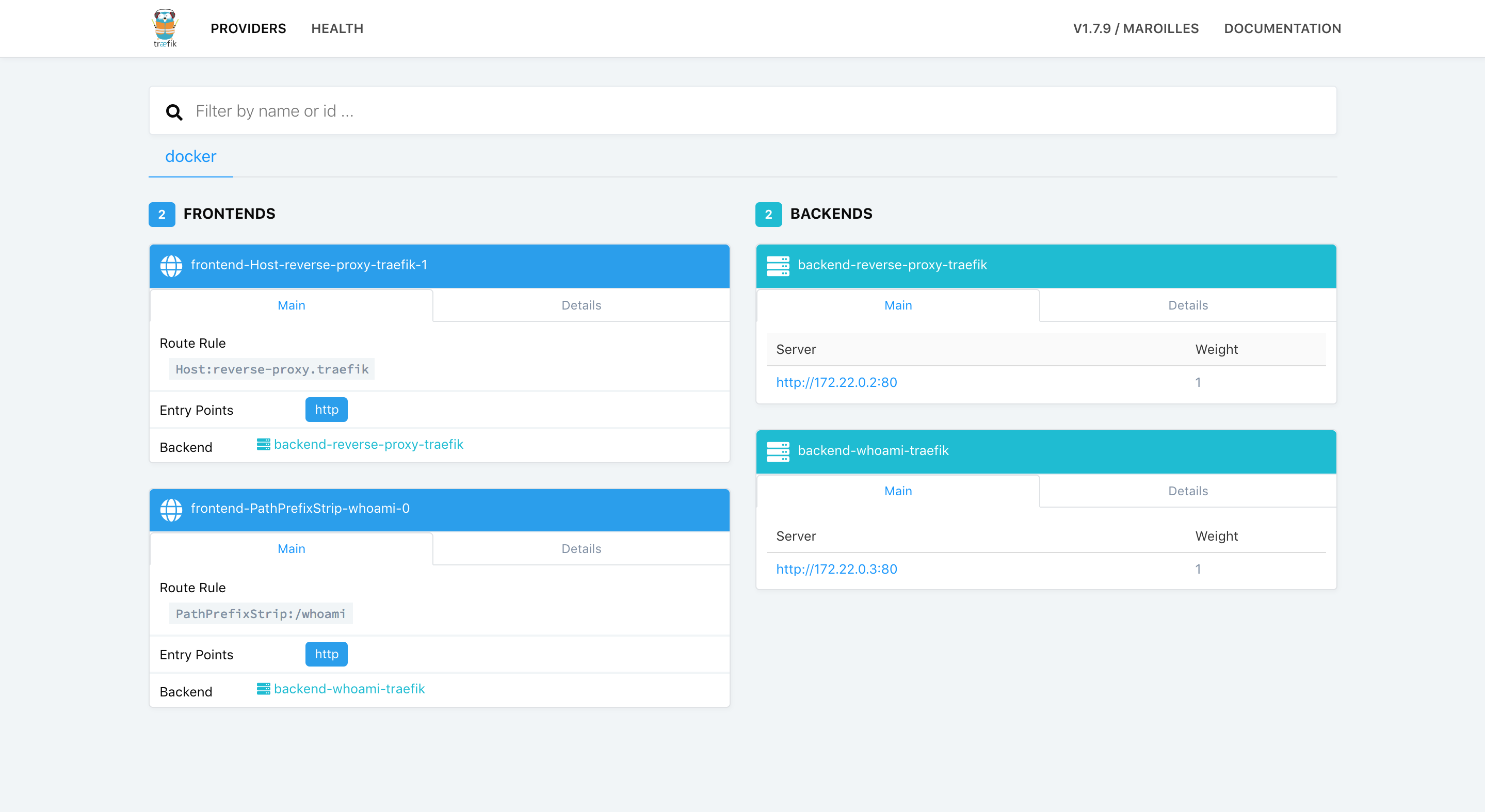
修改访问规则,使用后缀访问
修改 docker-compose.yml中whoami的访问规则
1
2
3
4
5
6
7
8
9
10
11
12
13
14
15
version: '3'
services: reverse-proxy: image: traefik # The official Traefik docker image command: --api --docker # Enables the web UI and tells Traefik to listen to docker ports: - "80:80" # The HTTP port - "8080:8080" # The Web UI (enabled by --api) volumes: - /var/run/docker.sock:/var/run/docker.sock # So that Traefik can listen to the Docker events whoami: image: containous/whoami # A container that exposes an API to show its IP address labels: - "traefik.frontend.rule=PathPrefixStrip:/whoami"
services: reverse-proxy: image: traefik # The official Traefik docker image command: --api --docker # Enables the web UI and tells Traefik to listen to docker ports: - "80:80" # The HTTP port - "8080:8080" # The Web UI (enabled by --api) volumes: - /var/run/docker.sock:/var/run/docker.sock # So that Traefik can listen to the Docker events whoami: image: containous/whoami # A container that exposes an API to show its IP address labels: - "traefik.frontend.rule=Host:whoami.localhost"
同时使用域名和后缀
1 2 3 4 5 6 7 8 9 10 11 12 13 14 15 16
version: '3'
services: reverse-proxy: image: traefik # The official Traefik docker image command: --api --docker # Enables the web UI and tells Traefik to listen to docker ports: - "80:80" # The HTTP port - "8080:8080" # The Web UI (enabled by --api) volumes: - /var/run/docker.sock:/var/run/docker.sock # So that Traefik can listen to the Docker events whoami: image: containous/whoami # A container that exposes an API to show its IP address labels: - "traefik.frontend.rule=Host:whoami.docker.localhost" - "traefik.frontend.rule=PathPrefixStrip:/whoami"
services: reverse-proxy: image:traefik# The official Traefik docker image command:--api--docker# Enables the web UI and tells Traefik to listen to docker ports: -"80:80"# The HTTP port -"8080:8080"# The Web UI (enabled by --api) volumes: -/var/run/docker.sock:/var/run/docker.sock# So that Traefik can listen to the Docker events mongo: image:mongo ports: -"27017:27017" angular: image:hellowoodes/angular depends_on: -reverse-proxy -mongo expose: -"8081" healthcheck: test: ["CMD", "curl", "-f", "http://localhost:8081/actuator/health"] interval:10s timeout:5s retries:3 labels: -"traefik.frontend.rule=Host:angular.localhost" -"traefik.frontend.rule=PathPrefixStrip:/" -"traefik.backend=angular" -"traefik.port=8081" -"traefik.weight=10" -"traefik.enable=true" -"traefik.passHostHeader=true" -"traefik.docker.network=ntw_front" -"traefik.frontend.entryPoints=http" -"traefik.backend.loadbalancer.swarm=true" -"traefik.backend.loadbalancer.method=drr"